Finding Productions
Access
All staff roles can use the Productions list and production search. Theater users see only productions belonging to their own theaters; Box Office and Admin users see every production in the system.
Navigation: Admin Menu > Productions
The Productions List
The Productions entry in the top menu (immediately after Theaters) opens a list of every production you have access to, across all theaters. This is the fastest way to reach a production when you don't remember which theater it belongs to -- or when you simply have a lot of productions to wade through.
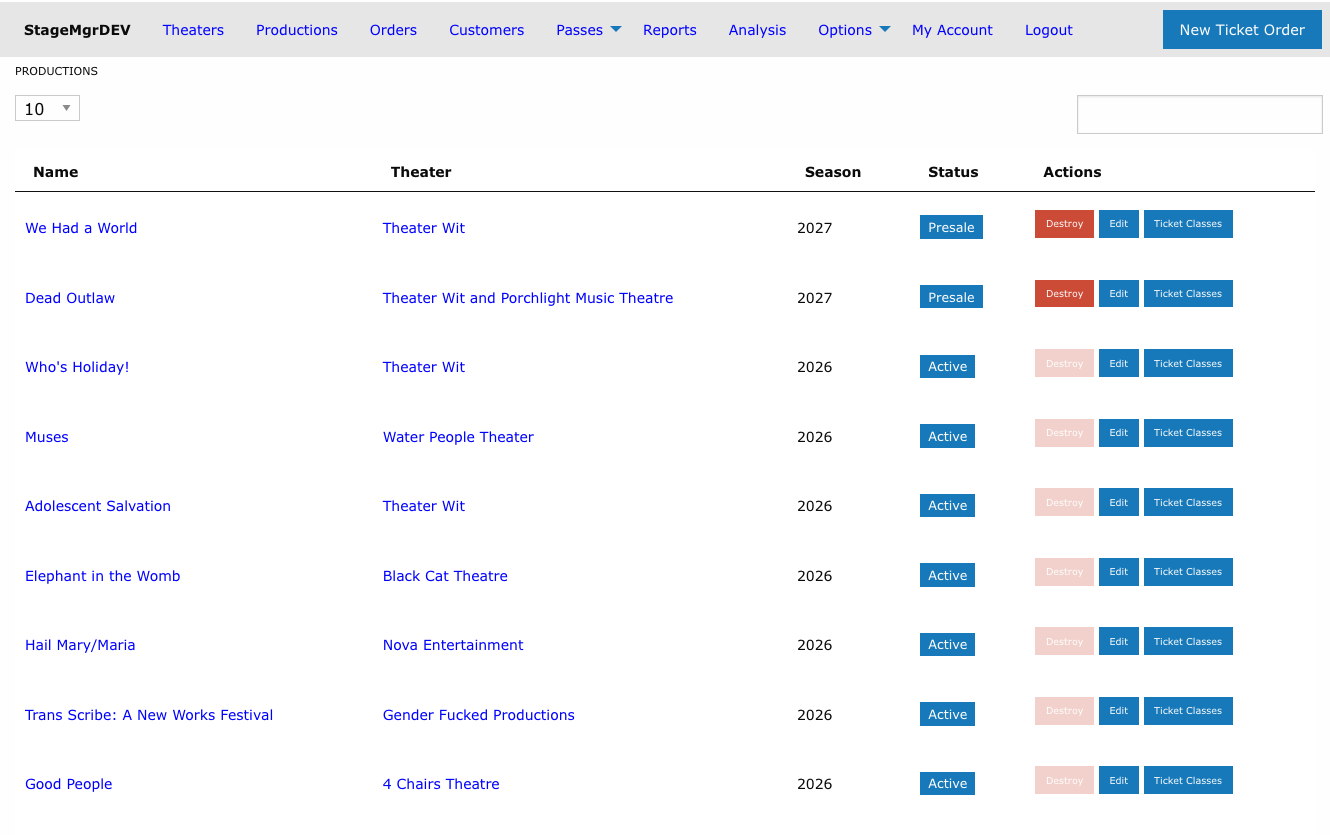
| Column | Description |
|---|---|
| Name | The production name, linked to its detail page. Custom labels appear beneath the name. |
| Theater | The producing theater, linked to the theater's page |
| Season | The production's season year |
| Status | Active, Inactive, Private, Presale, or Season Seating |
| Actions | The same Destroy / Edit / Ticket Classes buttons as the per-theater listing, subject to your role's permissions |
Productions are listed newest opening date first.
Searching the List
The search box filters as you type and matches against production name, status, and theater name. Searching for a theater's name is an easy way to see just that company's shows without leaving the page.
Per-theater listings still exist
Selecting a theater from the Theaters menu still shows that theater's productions, and new productions are still created from the theater page. The Productions list is a navigation shortcut, not a replacement.
The Production Search Picker
Anywhere Stagemgr asks you to choose a single production -- report forms, import forms, and the Analysis page -- you'll find the same typeahead search field instead of a long dropdown.
Type at least 2 characters to search. Matches are found by:
- Production name
- Season year (e.g., "2026")
- Production code
- Theater name
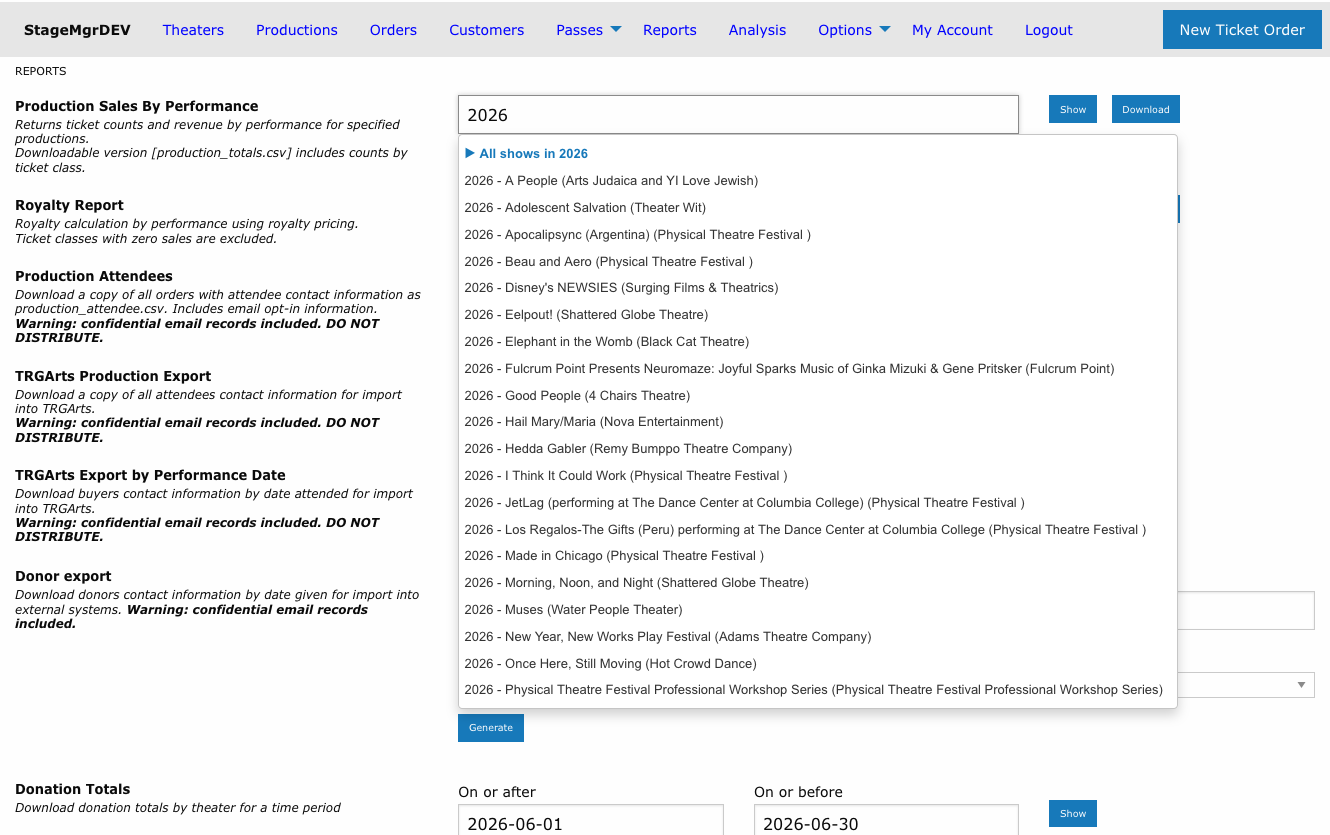
Group Shortcuts and Drill-Down
Suggestions beginning with a triangle icon are group shortcuts:
- All shows in [year] -- every production from that season
- All shows by [company] -- every production by that theater
- All shows tagged [tag] -- every production whose theater carries that tag
In a single-production field, selecting a group drills down: the suggestion list narrows to just that group's productions so you can pick the one you want. Use the ← All productions entry at the top of the list to back out of the group, or keep typing to filter within it.
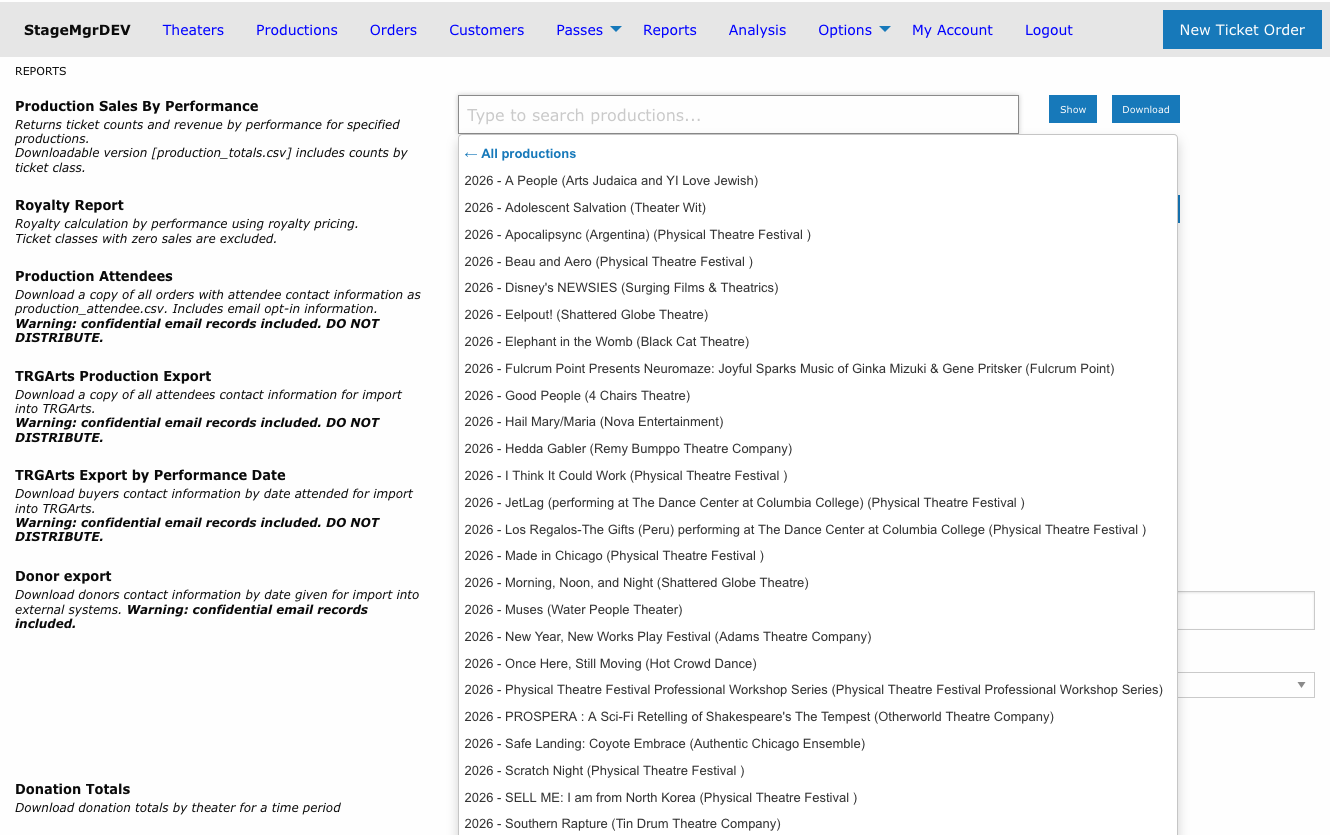
Multi-selection fields expand instead
On the Analysis page's Comparison Shows field, selecting a group adds all of its productions to the comparison table at once. Drill-down applies only to fields that accept a single production. See Analysis Overview.
Your Selection
Once you pick a production, the field is replaced by a confirmation box showing the season, name, and theater. Click remove to clear it and search again.
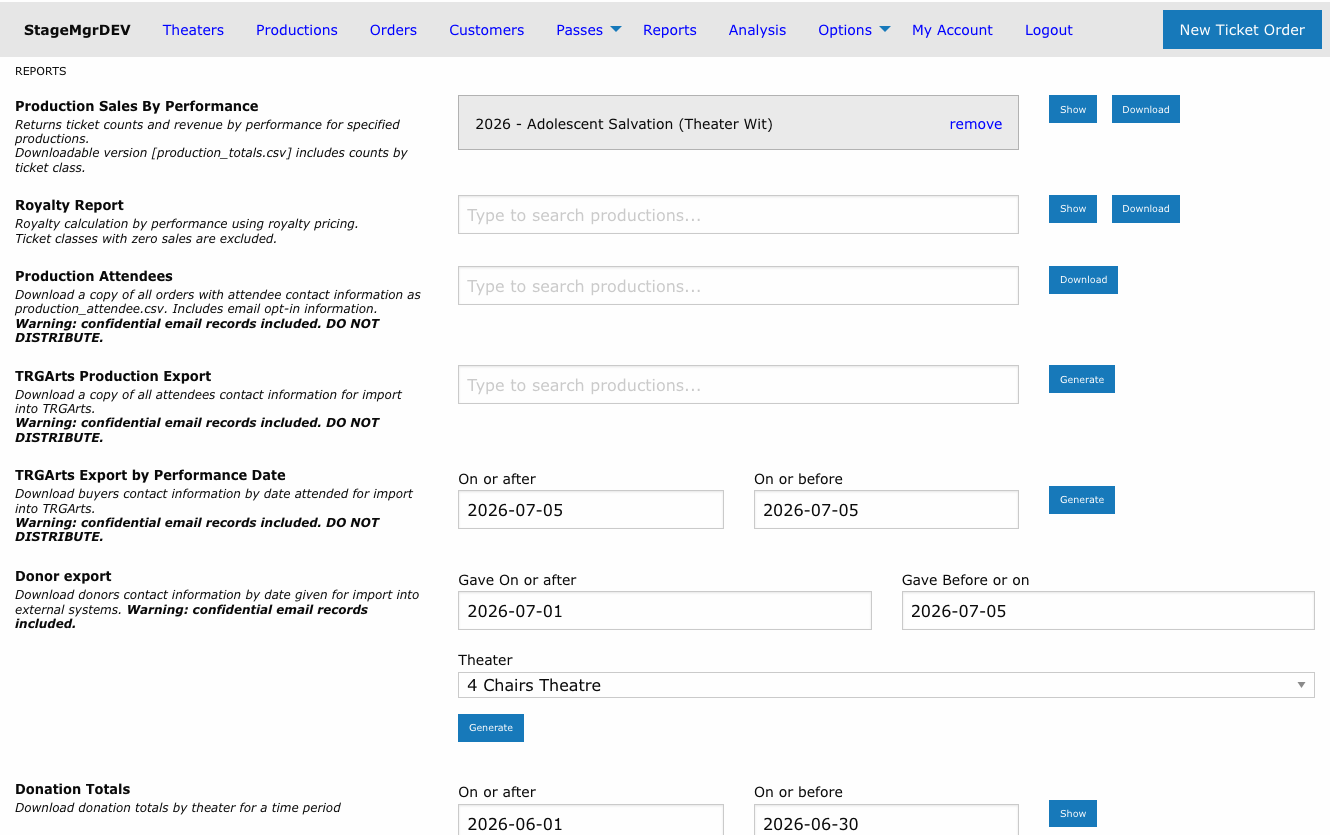
If a form requires a production and you try to submit without one, the form is blocked and the picker shows "Please select a production".
What Appears in the Search
The picker only ever offers productions you have access to. Beyond that, each page filters slightly differently:
| Page | Productions offered |
|---|---|
| Reports | Every accessible production, regardless of status |
| Imports | All except Inactive productions |
| Analysis | All except Presale productions |