House Management Report
Role: House Managers, Front-of-House Staff
The House Management Report provides a detailed seating overview for a specific performance date, highlighting special requests, accessibility needs, and notable guests. Run this report before every performance.
Navigation: Admin > Reports > House Management Report
What the Report Shows
The House Management Report is a per-performance summary designed for front-of-house staff. It consolidates information from multiple sources into a single document you can print and use during the show.
The report includes:
| Section | Content |
|---|---|
| Special seating requests | Patrons who have noted seating preferences or requirements |
| Accessibility needs | Wheelchair access, companion seating, hearing assistance, and other accommodations |
| Donor indicators | Patrons tagged as donors, with their giving level if available |
| VIP guests | Patrons flagged as VIPs in their address record |
| Notable patron tags | Relevant tags such as Board Member, Press, Artist Guest |
| Visits | How many times the patron has attended (Processed or Fulfilled ticket orders) on or before the report date |
| Frequent attendees | Patrons whose visit count meets the configured threshold, even when they have no other notable indicators |
Generating the Report
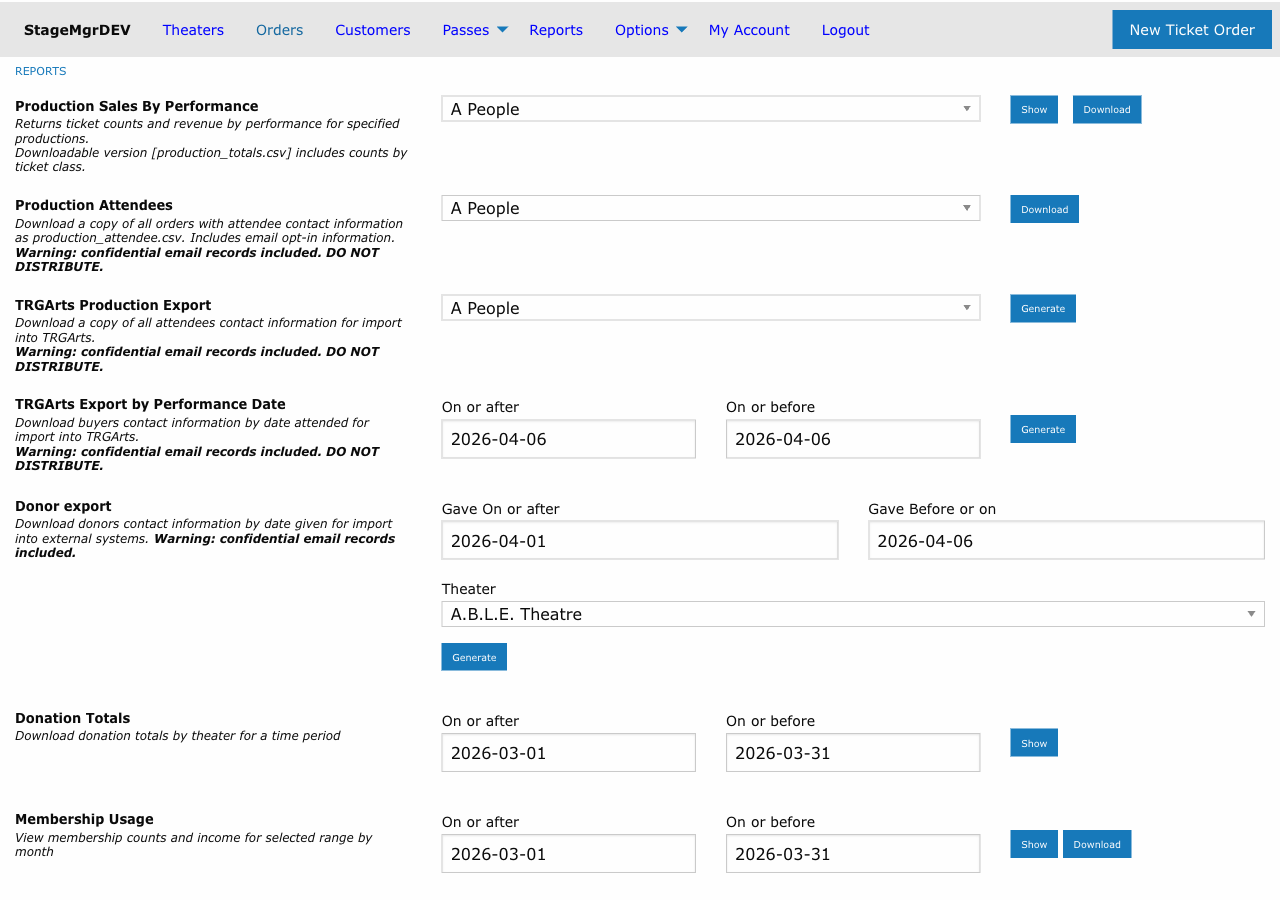
- Navigate to Admin > Reports > House Management Report.
- Select the performance date for the report.
- Click Generate or Run Report.
- Review the report on screen or print it for front-of-house use.
Tip
Generate this report 1-2 hours before doors open so your front-of-house team has time to review special requests and plan accordingly. Print a copy for the house manager and one for the will-call station.
Reading the Report
Special Seating Requests
This section lists patrons who have indicated seating preferences. These may include:
- Aisle seating requests
- Front row preferences
- Requests to be seated together with another party
- Avoidance of specific sections (e.g., balcony due to mobility issues)
Accessibility Needs
Patrons requiring accessibility accommodations are highlighted:
| Accommodation | What to Prepare |
|---|---|
| Wheelchair seating | Ensure designated wheelchair spaces are clear and accessible |
| Companion seating | Reserve an adjacent seat for the patron's companion |
| Hearing assistance | Prepare assistive listening devices if available |
| Visual assistance | Note any large-print program requests |
| Mobility assistance | Plan for lobby and auditorium access paths |
Warning
Accessibility accommodations must be prepared before the patron arrives. Review this section early enough to make any necessary physical arrangements in the venue.
Donor and VIP Indicators
The report flags patrons who are:
- Tagged with donor level tags (Bronze, Silver, Gold, Platinum, etc.)
- Marked as VIP in their address record
- Tagged with special designations (Board Member, Press, etc.)
This information helps front-of-house staff provide appropriate recognition and service.
Visits Column
The Visits column shows how many times the patron has attended -- that is, how many of their ticket orders are in Processed or Fulfilled status with a performance date on or before the report date. Held and unclaimed orders are not counted, so the number reflects actual arrivals.
If a lookback window is configured (report_frequent_customer_range_days), only visits inside that window are counted. With no window configured, the column reflects the patron's full attendance history.
Frequent Attendees
A patron who does not appear in the report for any other reason -- no special request, no note, no membership, donor level, patron tag, assigned seat, photo, or VIP flag -- will still be listed when their Visits count meets the configured threshold. Use this to spot loyal patrons who might otherwise go unrecognized by front-of-house staff.
The rule is driven by two server-level settings (see System Options):
| Setting | Meaning |
|---|---|
report_frequent_customer_at |
Minimum visit count that qualifies a patron as a frequent attendee |
report_frequent_customer_range_days |
Lookback window in days; leave unset to count full history |
If report_frequent_customer_at is not configured, the frequent-attendee rule is disabled and patrons appear only for the traditional reasons listed above.
External ID tag is excluded
The External ID patron tag is used internally to match imported orders from external systems. It does not influence inclusion on the report and is hidden from the Patron Notes column even when a patron is listed for other reasons.
Using the Report During a Performance
Before Doors Open
- Review all special seating requests and pre-assign seats if using reserved seating.
- Verify accessibility accommodations are in place.
- Brief ushers on VIP guests and any special handling needed.
- Cross-reference with the will-call list to identify VIPs picking up at the door.
During Check-In
- Consult the report when greeting patrons to provide personalized service.
- Direct patrons with accessibility needs to their designated seating.
- Ensure donor and VIP guests are acknowledged appropriately.
After the Performance
- Note any issues or unmet requests for follow-up.
- Update patron tags if new preferences were communicated during the visit.
Report Data Sources
The report pulls information from several areas of the system:
| Data Source | What It Contributes |
|---|---|
| Address record (VIP flag) | Identifies VIP patrons |
| Patron tags | Donor levels, seating preferences, special designations (the internal External ID tag is excluded) |
| Order notes | Special requests entered during ticket purchase |
| Seat assignments | Reserved seating allocations for the performance |
| Patron attending order history | Visit count (Processed + Fulfilled ticket orders) and the frequent-attendee determination |
Tip
The quality of this report depends on the data entered into patron records and order notes. Encourage box office staff to record seating preferences and special requests when taking orders, and to maintain accurate patron tags.
Printing the Report
The House Management Report is designed to be printed on standard paper. For best results:
- Print in landscape orientation if the report has many columns.
- Keep a copy at the front-of-house station and one with the house manager.
- Annotate the printed copy by hand during the performance as situations arise.
Related Pages
- Daily Operations -- Where this report fits in the day-of-show workflow
- Patron Tags -- How tags feed into the report
- House Counts -- Inventory overview complementing the seating report