Hold Orders
Role: Box Office Staff, Administrators
Hold orders reserve seats for patrons without collecting payment. They are commonly used for phone reservations, VIP holds, and season seating assignments.
Navigation: Stagemgr > Orders > Ticket Orders > New Ticket Order
Overview
A hold order reserves one or more seats for a patron without requiring immediate payment. The order remains in Hold status until it is either converted to a paid sale or canceled. Held seats are removed from available inventory, preventing them from being sold to other patrons.
Creating a Hold Order
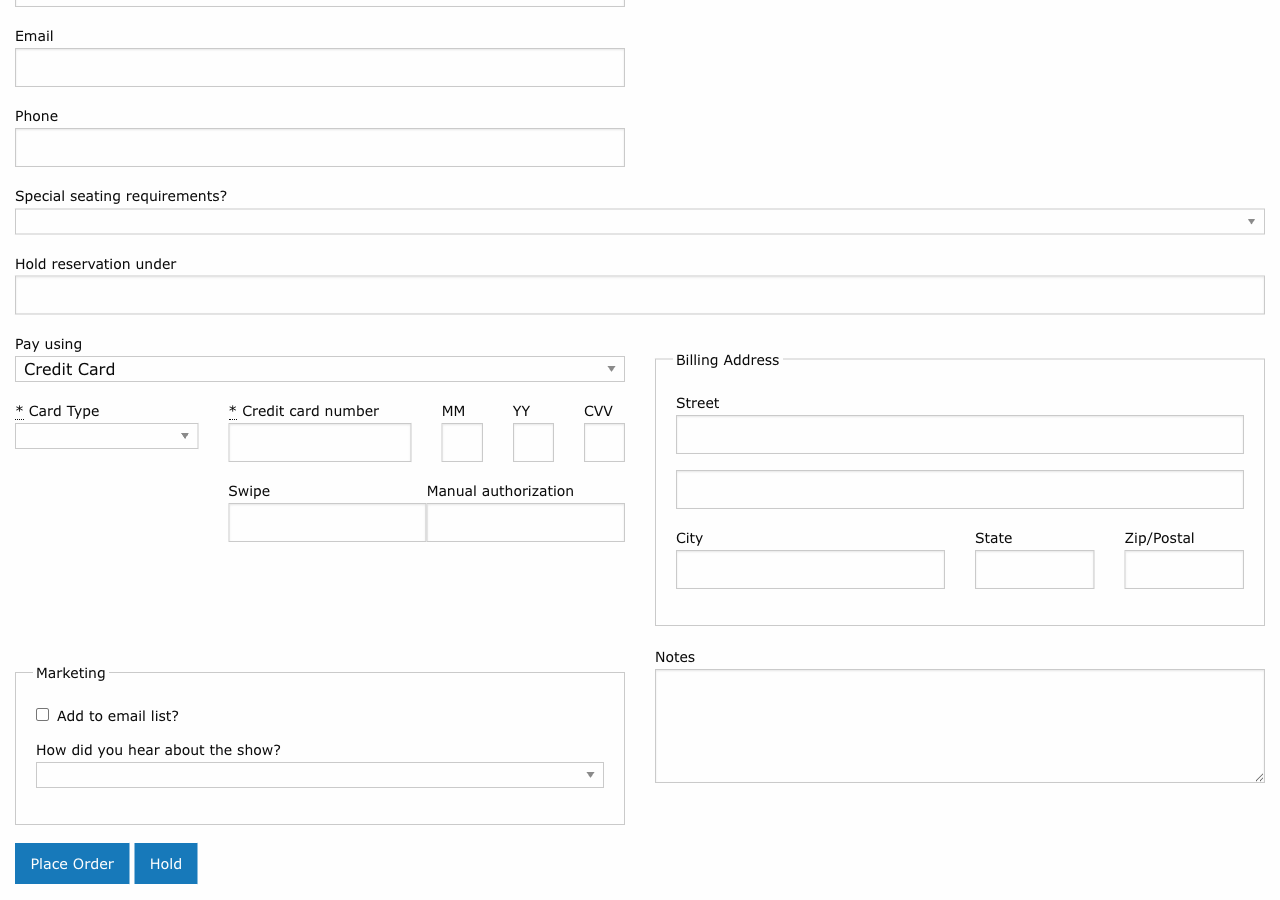
The process for creating a hold order is nearly identical to creating a standard ticket order, with two key differences: you skip the payment step and you fill in the Hold Under field.
Step-by-Step
- Customer lookup -- Find or create the patron's address record
- Select performance -- Choose the performance using the autocomplete field
- Select tickets/seats -- For general admission, choose ticket class and quantity. For reserved seating, select seats on the seat map.
- Hold Under -- Enter the name the reservation is held under (typically the patron's last name)
- Notes -- Add any relevant notes (e.g., "Will call back by Friday to pay," "Season subscriber")
- Submit without payment -- The order is created in Hold status
The Hold Under Field
| Detail | Description |
|---|---|
| Purpose | Identifies who the reservation is held for, especially at will-call |
| Default | Typically the patron's last name |
| Override | Can be set to a different name (e.g., a corporate contact, group organizer, or gift recipient) |
| Searchable | The hold_under name appears in order searches and will-call lists |
Will-Call Clarity
If the person picking up tickets has a different name than the account holder, put the pickup person's name in the Hold Under field. This prevents confusion at will-call.
Who Can Create Hold Orders
Hold orders can be created by:
- Box office staff -- For phone-in reservations and walk-up holds
- Administrators -- For VIP reservations, press holds, and season seating
Converting a Hold to a Sale
When the patron is ready to pay, the hold order is converted to a processed sale:
- Navigate to the hold order (search by order ID, patron name, or hold_under name)
- Open the order detail page
- Click Process (or the equivalent action to collect payment)
- Enter payment information
- Submit -- the order status changes from Hold to Processed
The seats remain assigned to the same order. No new order is created.
Canceling a Hold
If the patron does not confirm the reservation:
- Navigate to the hold order
- Click Cancel
- Confirm the cancellation
- The order status changes to Canceled
- All held seats are released back to available inventory
Unprocessed Holds
Regularly review outstanding hold orders, especially as a performance date approaches. Holds that are never converted tie up inventory and can prevent sales to other patrons.
Season Seating Holds
For season subscribers or patrons with preferred seating arrangements, hold orders are used to reserve the same seats across multiple performances:
- Create a hold order for each performance in the season
- Assign the patron's preferred seats on each seat map
- As the season progresses, convert each hold to a sale when payment is collected
This ensures that season subscribers retain their preferred seats throughout the run.
Hold Orders and Inventory
Hold orders affect inventory in the following ways:
| Impact | Description |
|---|---|
| Seat reservation | Held seats are removed from available inventory |
| Capacity counting | Hold orders are included in the "Holding Seat" status group |
| House count | Held seats count as occupied in house count calculations |
| Availability display | The performance shows reduced availability while holds are active |
Best Practices
- Set deadlines -- When creating a hold, note a deadline in the Notes field (e.g., "Must confirm by March 15"). Follow up before the deadline.
- Review holds regularly -- Run a report or search for orders in Hold status to identify stale reservations.
- Communicate clearly -- Tell the patron how long their hold will last and when they need to provide payment.
- Minimize hold duration -- Long-standing holds reduce available inventory. Convert or cancel holds promptly.
- Use hold_under consistently -- Always fill in the Hold Under field so holds can be easily found at will-call.
Troubleshooting
| Issue | Resolution |
|---|---|
| Cannot find a hold order | Search by the hold_under name, patron last name, or order ID |
| Patron says seats were held but order is not found | Check if the hold was canceled or expired. Verify the correct performance. |
| Want to change held seats | Cancel the existing hold and create a new one with the correct seats |
| Hold order is blocking a sale | If the hold is no longer needed, cancel it to release the seats |